We're excited to announce the launch of AI Agent Templates! Just pick your industry, business type, and use case, and Hatch will generate an AI agent that’s ready to handle calls, texts, and emails from day one.
Read on to learn more.

AI Agent Templates: How we got here
The beauty of Hatch is that our AI Agents are not limited to a single channel or use case. While many existing solutions are focused on SMS only, voice only, or speed to lead only, you can employ Hatch AI agents across SMS, email, and voice, and they can be used for speed to lead, estimate follow-up, inbound call answering, and more.
But with multiple possibilities, the setup process can feel overwhelming.
- What Agent should do what?
- What persona do other businesses in your industry use?
- How do you know if your instructions are optimized?
The team of AI experts has been there to help you with all of that (and will continue to be!) but bot templates makes this process even easier, putting best practices right at your finger tips.
We've set up hundreds of Agents at this point, so we've compiled the best performing personas, business profiles, and instructions for each industry and use case into templates. This:
✅ Eliminates guesswork in AI agent setup.
✅ Accelerates onboarding.
✅ Ensures you're using the best practices for your industry.
You can of course customize your AI Agent from there. That's the other beautiful thing about Hatch AI — the ability to go into your AI Agent's settings and instructions and edit them at any time, in real time. Templates help you to launch a functional AI Agent faster so you can start testing, refining, and optimizing.
How AI agent templates work
Let's take a quick tour through what it looks like to set up a Hatch AI agent using the new template feature:
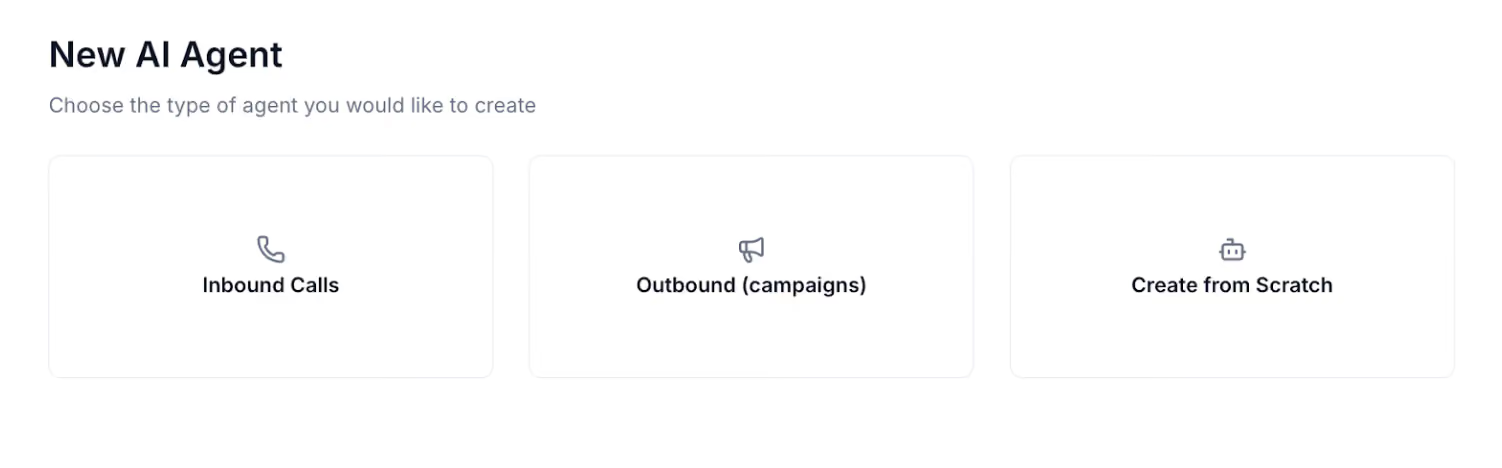
1. Select your agent type. There are three different options:
- Inbound Calls: These agents are used for answering inbound phone calls.
- Outbound (Campaigns): These agents are attached to a specific Hatch campaign type, such as speed to lead, estimate follow-up, appointment confirmations, and more.
- Create from Scratch: Choose this option if you do not want to use an agent template.
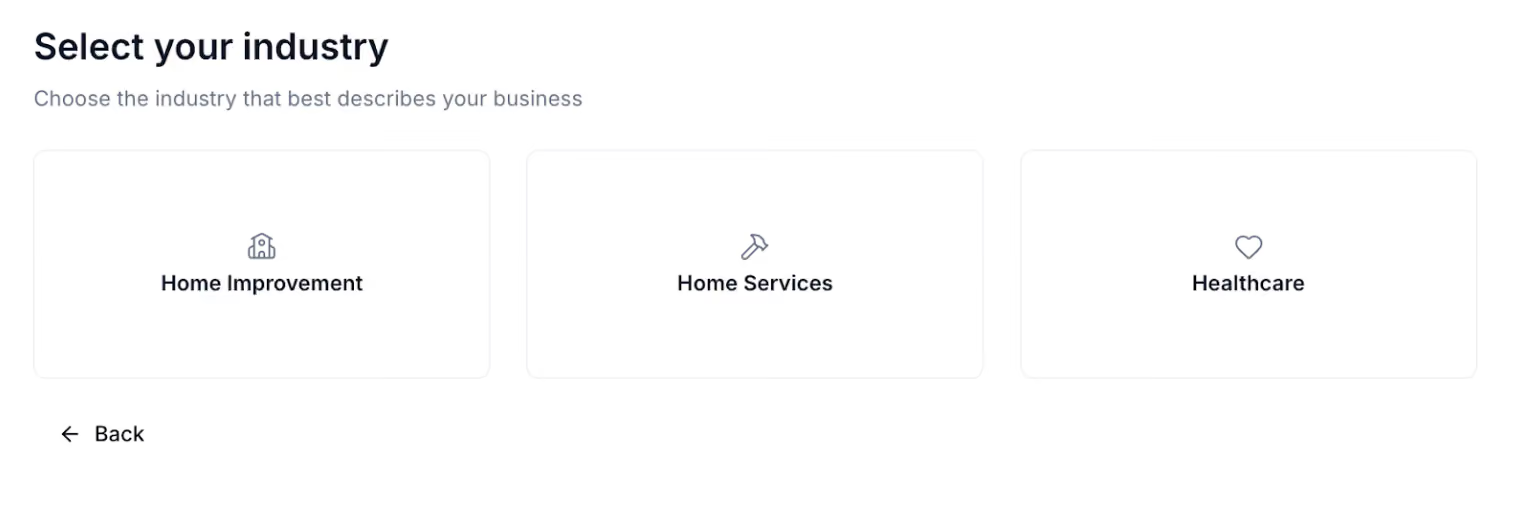
2. Select your industry. There are three options here:
- Home Improvement (Windows & Doors and Roofing)
- Home Services (HVAC, Plumbing, Lawncare, and Landscaping)
- Healthcare (covers Dental and Optometry)
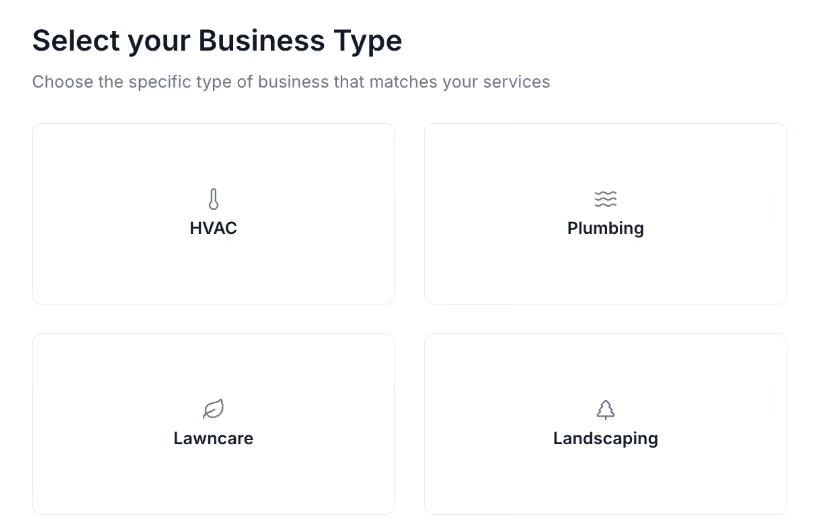
3. Select your business type. These choices will vary depending on which industry you chose. As mentioned above:
- If you choose Home Services, you can choose between HVAC, Plumbing, Lawn care, and Landscaping.
- If you chose Home Improvement, you can choose between Windows & Doors and Roofing.
- For Healthcare, there’s Dental and Optometry.
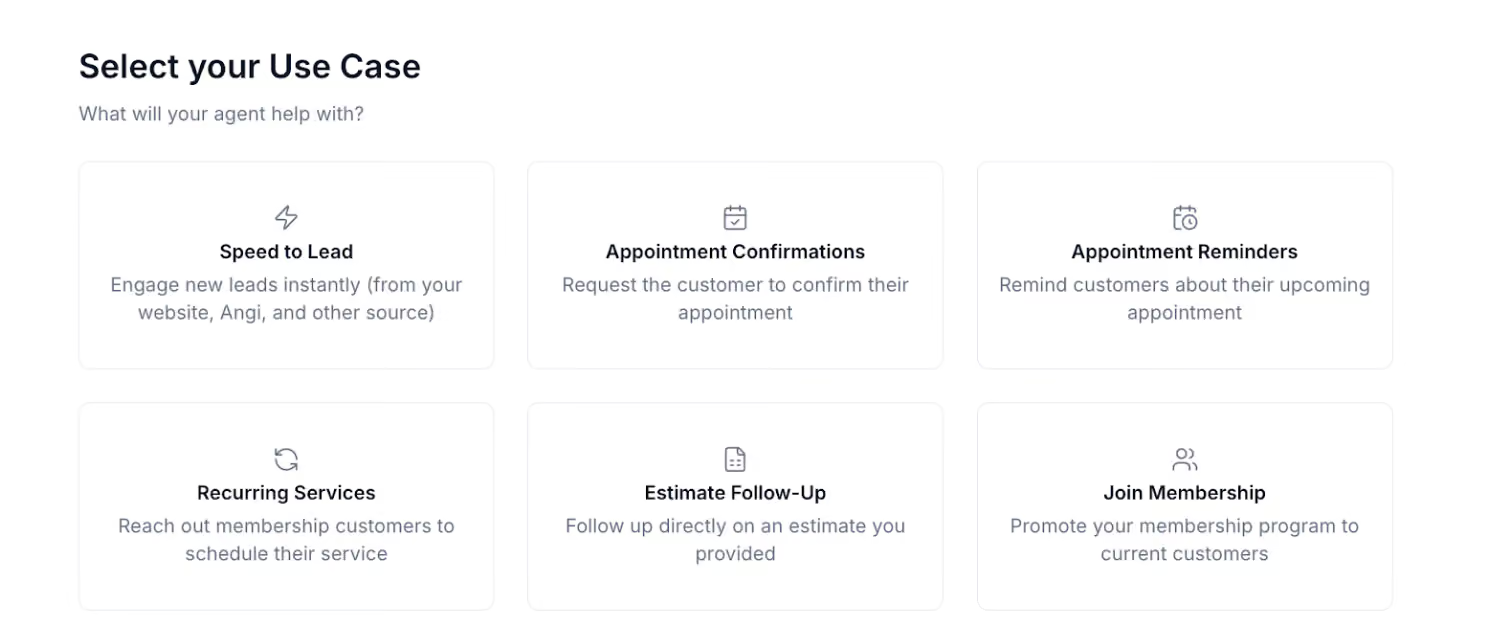
4. Select your use case. If you chose “Outbound (Campaigns), you’ll be presented with 6 different options:
- Speed to Lead: Engage new leads instantly (from your website, a lead aggregator like Angi, or any other source)
- Appointment Confirmations: Request the customer to confirm their appointment.
- Appointment Reminders: Remind customers about their upcoming appointment.
- Recurring Services: Reach out to membership customers to schedule their service.
- Estimate Follow-Up: Follow up on an estimate appointment and/or quote you provided.
- Join Membership: Promote your membership program to current customers.
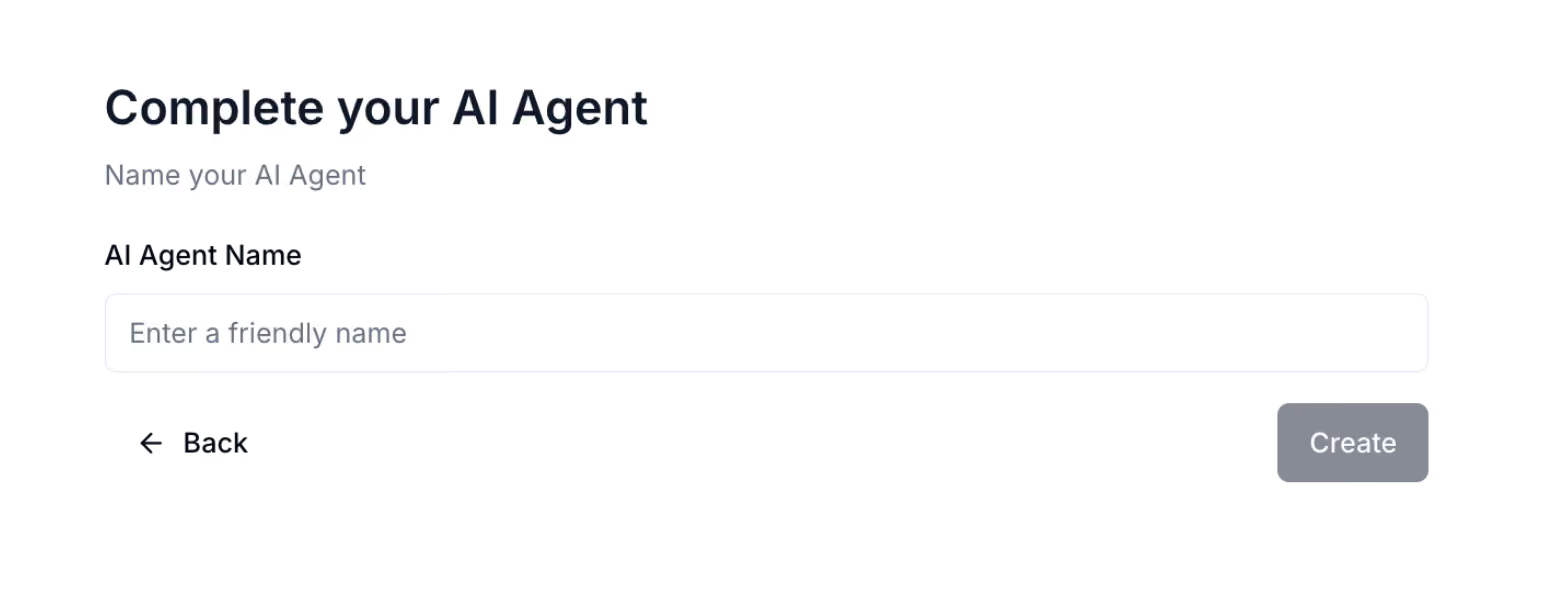
5. Complete your AI Agent. Give it a name!
6. Refine and optimize. Need to make edits? No problem. You have full control to customize instructions in the template to your specific needs whenever you need to.

AI Agent templates: Your fast track to custom AI
The true power of Hatch lies in how adaptable and customizable our AI agents are. You can refine them endlessly—tweaking personas, testing instructions, and optimizing workflows until they’re the perfect fit for your business. AI Agent Templates are the foundation that makes this possible. By giving you a strong, best-practice starting point, they eliminate guesswork and accelerate setup, so you can get to the real work of refining, experimenting, and evolving your agents faster than ever.
Have questions?
Hatch customers, email [email protected], or reach out to your Account Manager here.
Non-Hatch customers, book a demo here!
FAQs:
Does this mean I have to create AI agents on my own?
This tool is designed to help you create AI agents faster and more autonomously, but you can still absolutely build out an AI agent with your Account Manager. In fact, our team loves the templates just as much because they eliminate the repetitive groundwork that is required before you can start really customizing the bot to your specific needs and edge cases.
Will you be creating more templates?
Yes, we’ll continue to create templates as we receive feedback and identify usage patterns. Keep in mind also that there is a “build from scratch” option if none of the templates fit your needs. You can also choose the template closest to your use case and industry and modify it from there.
Can I mix and match templates for different campaigns?
Yes. You can create multiple AI agents and assign them to different campaigns. For example, you might have one agent specialized for Speed to Lead and another for Appointment Confirmations, each using a different template.
Do I need technical skills to use the templates?
No technical experience is required. The setup process is completely guided, and the templates come with pre-built instructions.