Google’s Local Services Ads (LSA) has been rolling out a "Request a Competitive Quote" feature, allowing consumers to message multiple top-rated pros at once. That means faster responses—and better communication—matter more than ever.
In this post, we’ll break down how the feature works, what it means for your business, and how to stay ahead using proven strategies and tools like Hatch.
The TLDR summary
- Google LSA’s new Competitive Quote feature lets consumers request estimates from multiple pre-selected businesses at once.
- Whether you make the cut depends on response speed, messaging capability, and your overall LSA performance metrics.
- To stay competitive, make sure messaging is turned on and prioritize fast, high-quality replies.
- Treat every lead like they’re talking to multiple vendors—because now they probably are.
What is the Competitive Quote feature in Google LSA?
Traditionally with Google LSA, when a consumer searches for a service on Google, multiple LSA listings appear and they choose which business they want to engage with.
With the “Request a Competitive Quote” feature, a consumer can request estimates from multiple businesses simultaneously. This feature benefits consumers by streamlining the quote process, but it raises concerns for LSA advertisers, particularly with regard to cost increases and a lack of transparency.
Google has been testing this feature out at least since October 2024, when it started getting attention in October 2024 on Search Engine Roundtable and Search Engine Land; and it seems to now be rolling out more broadly across industries and geographic areas.
How does it work for consumers?
When a consumer searches for a service, the same LSA listings appear. At the top of those listings, there’s an option to “Get competitive quotes”
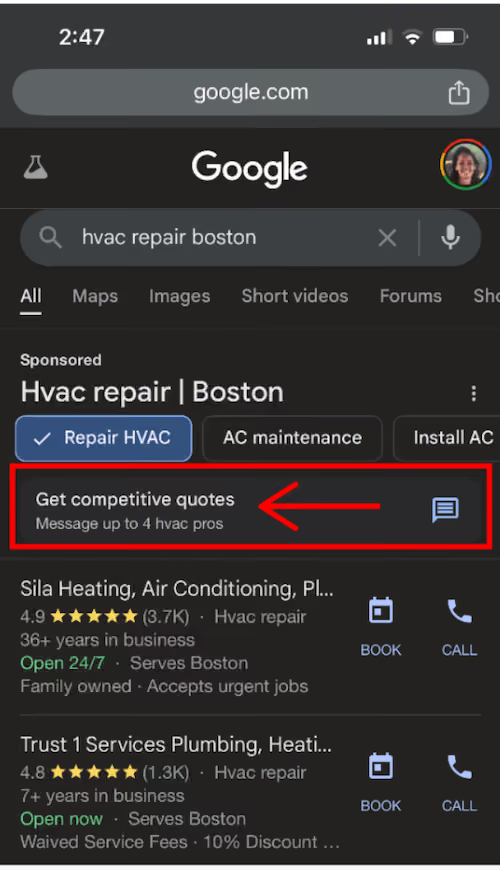
Tap on that and you’re brought to a screen that says “Google selects 4 top-rated HVAC pros near you who typically reply in 15 minutes.” This is the fastest reply time available in an LSA listing.
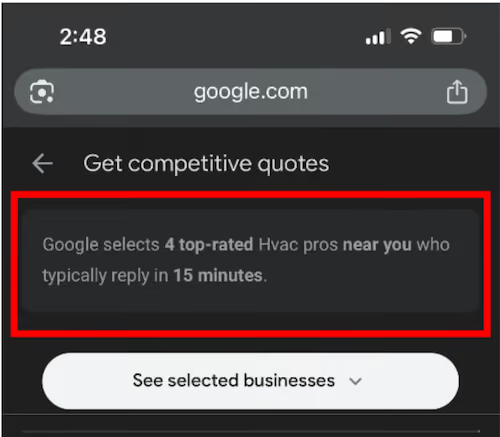
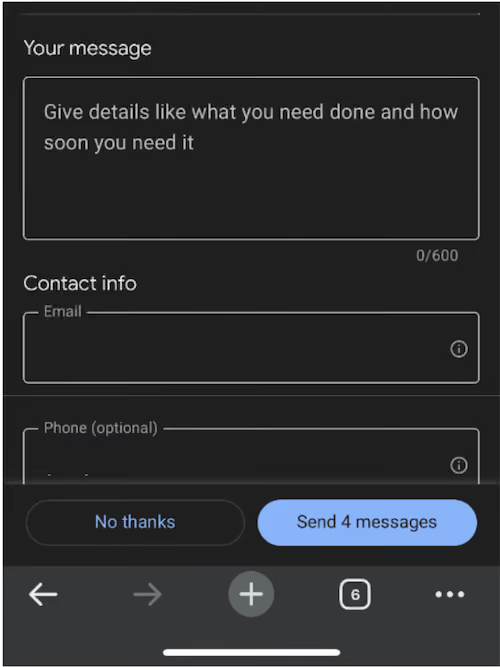
The consumer then can write a message which will be sent out to those four businesses.
How to stay competitive with Google LSA
At the end of the day, whether you show up in the list of the “4 top rated pros” for consumers depends on several factors, some of which are in your control, some of which are not. Let’s go over the ones that are in your control:
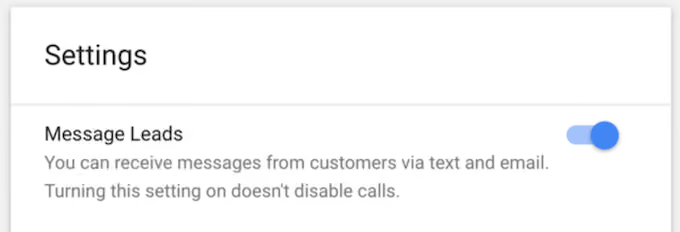
Ensure message leads are turned on
You should already have messaging turned on—as most consumers find messaging to be more convenient than calling—but if for some reason you don’t, now’s the time to change that as this new feature applies to message leads specifically.
Prioritize speed to lead
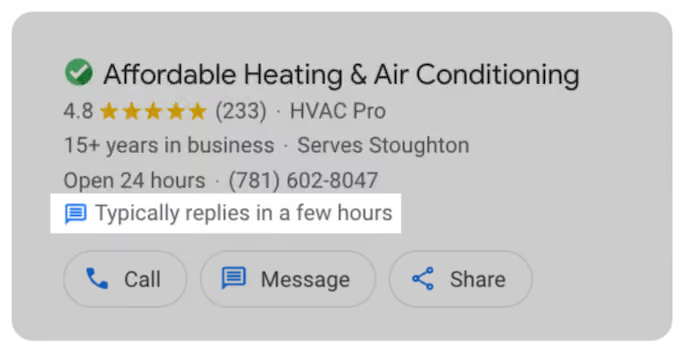
Your response rate and response time has always been a ranking factor for Google LSA, so you can safely assume that this impacts whether you appear in the list for competitive quotes. Keep in mind also that Google displays your response time on your listing.
Use our Speed to Lead Playbook which includes templates and best practices to ensure you’re reaching leads quickly and effectively.
Assume every lead is vetting multiple vendors
Consumers have always vetted multiple vendors at once, this feature just makes it easier for them to do it. So this is just a good reminder for you to treat every lead like they’re vetting multiple businesses and to act quickly (see above) with them. You can see if a consumer has come in through the request multiple quotes feature by looking at lead details. It will say “Customer has also messaged other businesses.”

Assess your communication strategy
Performance metrics that impact your LSA ranking include:
- Response rate and response time
- Number and quality of reviews
- Complaints or disputes
- Number of bookings and repeat customers
These metrics are Google’s way of assessing the customer experience. One thing you can do to enhance those metrics? Communicate properly with your customers throughout their entire journey. Let’s break that down:
Proper communication: This means proactively reaching out with multi-channel messages, and following up tastefully until you get a response. And once you do get a response, maintaining fast, accurate, and personalized replies throughout the ensuing conversion.
Across the customer journey: We have a fully mapped customer journey template you can use for this, but here’s a distilled version:
- New lead outreach
- Missed call-follow-up
- Aged, unbooked lead follow-up
- Estimate appointment confirmation
- Estimate appointment follow up
- Aged estimate follow-up
- Closed estimate thank you and welcome aboard
- Installation/service updates and reminders
- Post service feedback
- Review requests
- Recurring service and membership communication
Not only do these campaigns increase set, close, and retention rates, but the very act of being proactive and intentional with your customers—and then being prompt to reply when they respond—is a way of embedding a quality customer experience into the whole journey.
Our customer journey map template has you covered here, as well as our best practice message templates for each of these campaigns.
How Hatch can help you win with Google LSA
The bottom line here is that speed to lead and proper communication throughout the customer journey continue to be the most important in maximizing success with Google LSA. Here’s how Hatch helps with that specifically:
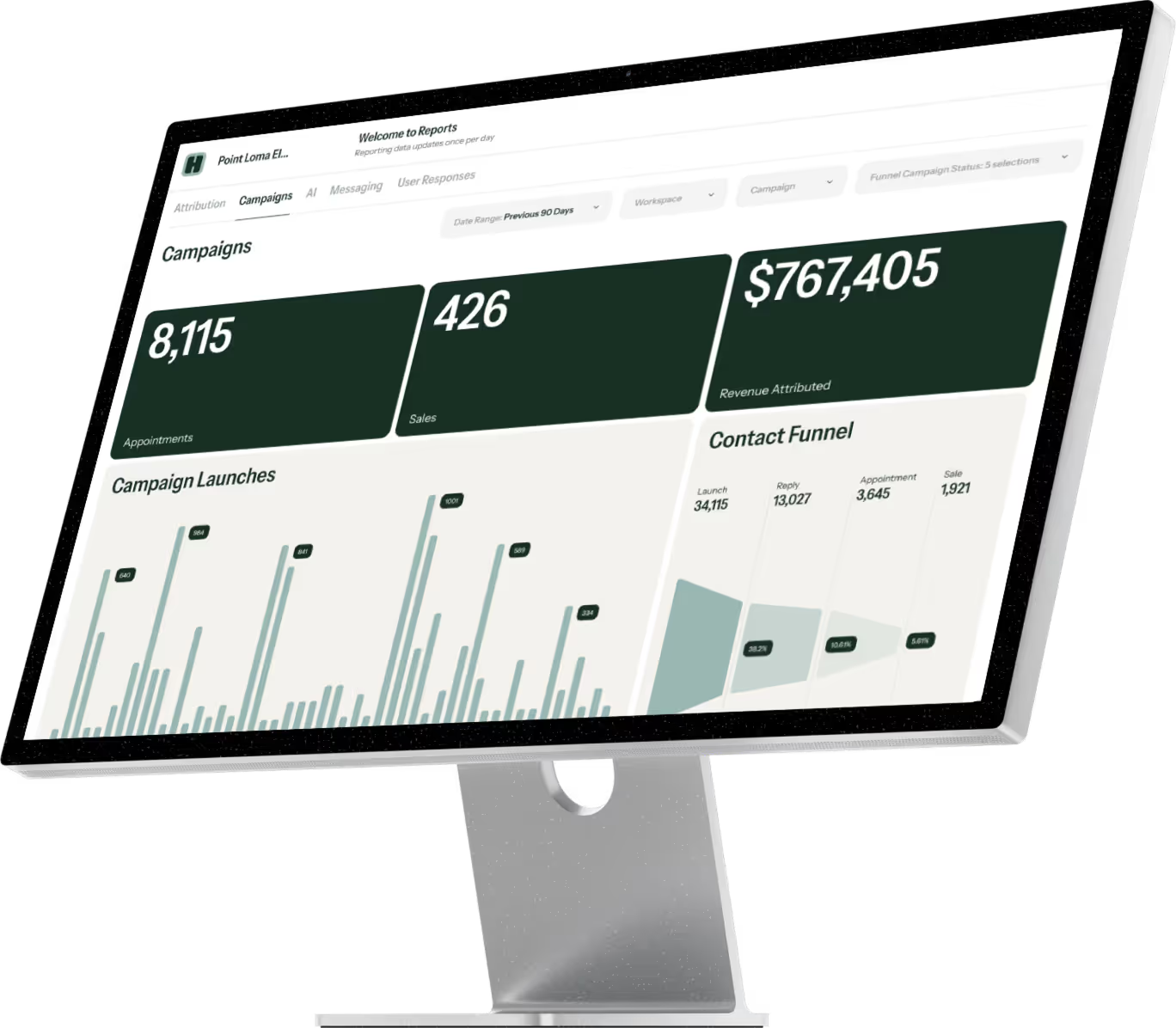
- Hatch natively integrates with your Google LSA account so that when a customer messages your business, you can respond quickly via multi-channel messaging sequences - all automated so you don’t have to do the chasing. (Messages are sent to Hatch as fast as the Google LSA API allows—typically within 15 minutes).
- Once contacts respond to your outreach, your AI CSR will converse with the lead, qualifying them, answering questions, and even booking their appointment if you have them configured that way.
- Hatch then integrates with your CRM so that you can automate outreach at every other touch point after that keeping them engaged, informed, and in your funnel.
With Hatch doing the heavy lifting, your humans can focus on closing qualified opportunities, delivering a better in-person experience, and improving team efficiency—all so that you can turn more LSA leads into not only appointments, but also closed deals and loyal customers.
To learn more, book a demo with us here or watch a demo on your own here.