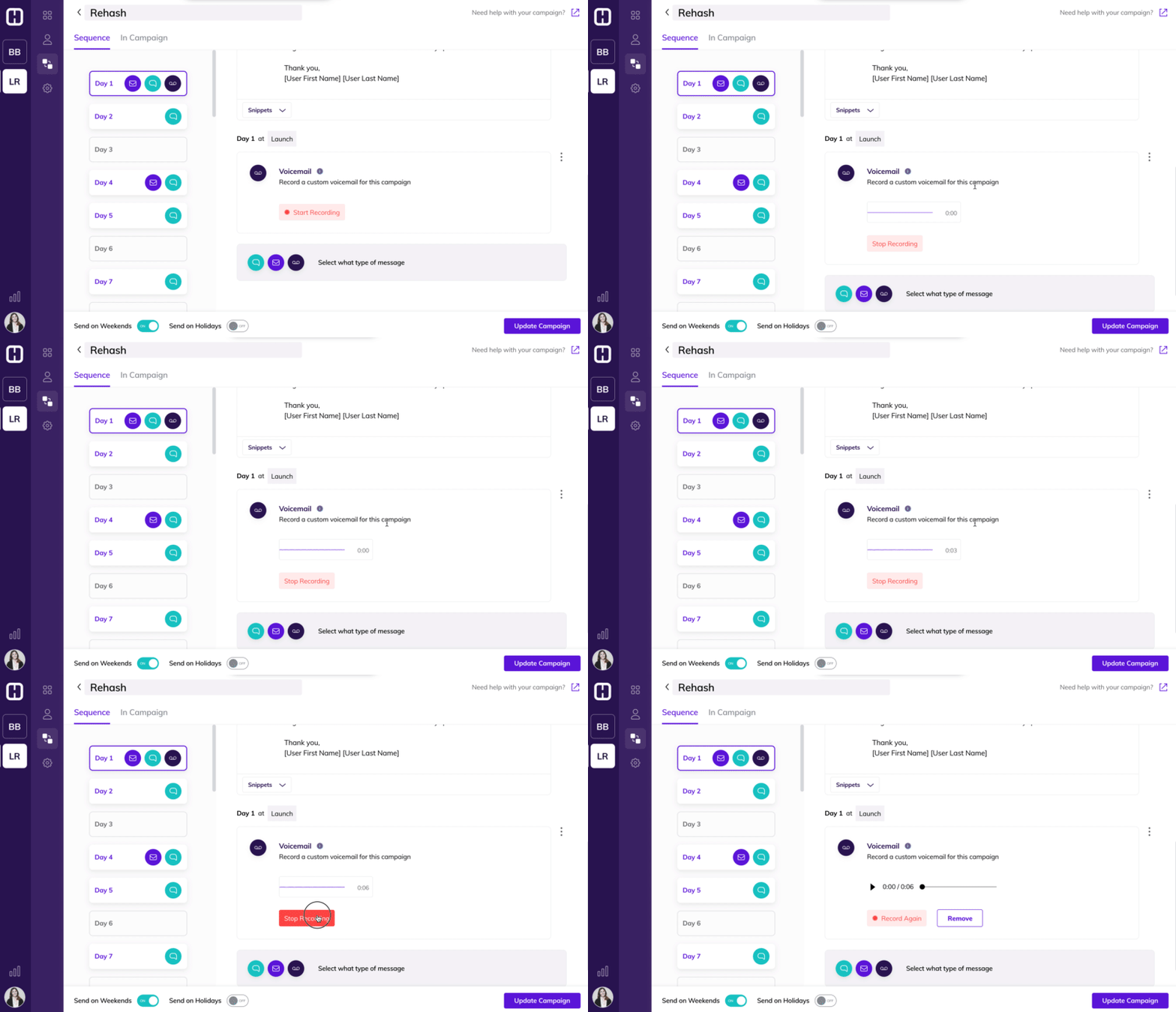
In addition to sending out text and email, in Hatch you can also send out pre-recorded voicemails in Campaigns. This allows you to leave a voicemail for your customer without calling them.
How do Automated Voicemails Work?
With voicemails in campaign, your team can send the prospect’s cell phone a missed call notification and a pre-recorded voicemail message.
This frees up your team's time from having to call customers one by one.
What is the benefit of Voicemail in Campaigns?
Our data shows that texting has a direct correlation with high engagement rates. The reason for this is because homeowners can respond on the go, answer on their own time, and it gives them the ability to dictate the pace of sales conversation.
Voicemails follow this same concept, except they give you a human voice to your outreach. It continues to help you build 1-to-1 relationships with customers at scale - they don’t feel like they’re talking to a robot.
Additionally, we’ve found that campaigns with a higher variety of touch points increase your chance of connecting with a lead. People think differently and want to engage in different ways - the more outreach methods you use, the higher chance you have to connect.
How do I use Voicemails in Hatch?
When you go to create a campaign, you’ll find voicemail as a third option in addition to email and text. Simply record what you want to say, and pick a time for it to get delivered to your lead. You can send a voicemail to one or many of our customers at once; saving your internal team countless hours of dialing.
See Voicemails in Campaign in action in this Campaigns Demo:
How to Build a Campaign to Message Your Customers Using Text, Email, and Voicemails in Hatch
Want to Stay Up-To-Date on Other Releases?
Our team has been diligently working to provide you a more streamlined experience and more features. Bookmark usehatchapp.com/product-updates to see how we’re revolutionizing the way home improvement companies connect with customers.