Your customers don’t want to wait. Your team doesn’t want to waste time.
That’s why Hatch’s latest updates are designed to keep everything running smoothly — helping you connect the right people, book the right jobs, and deliver exceptional customer experiences.
External Transfers: Smooth Hand-Offs, Happier Customers
Hatch’s Voice AI covers the bulk of your calls, but sometimes a call needs a human to intervene — whether it’s an emergency, a frustrated customer, or a complex issue that AI shouldn’t handle alone.
Now, Hatch’s Voice AI can transfer warm live calls to any phone number, inside or outside of your Hatch workspace.
❌ No complicated setup. ❌ No dead ends.
How to set it up:
- Go to your Voice AI bot settings in Hatch.
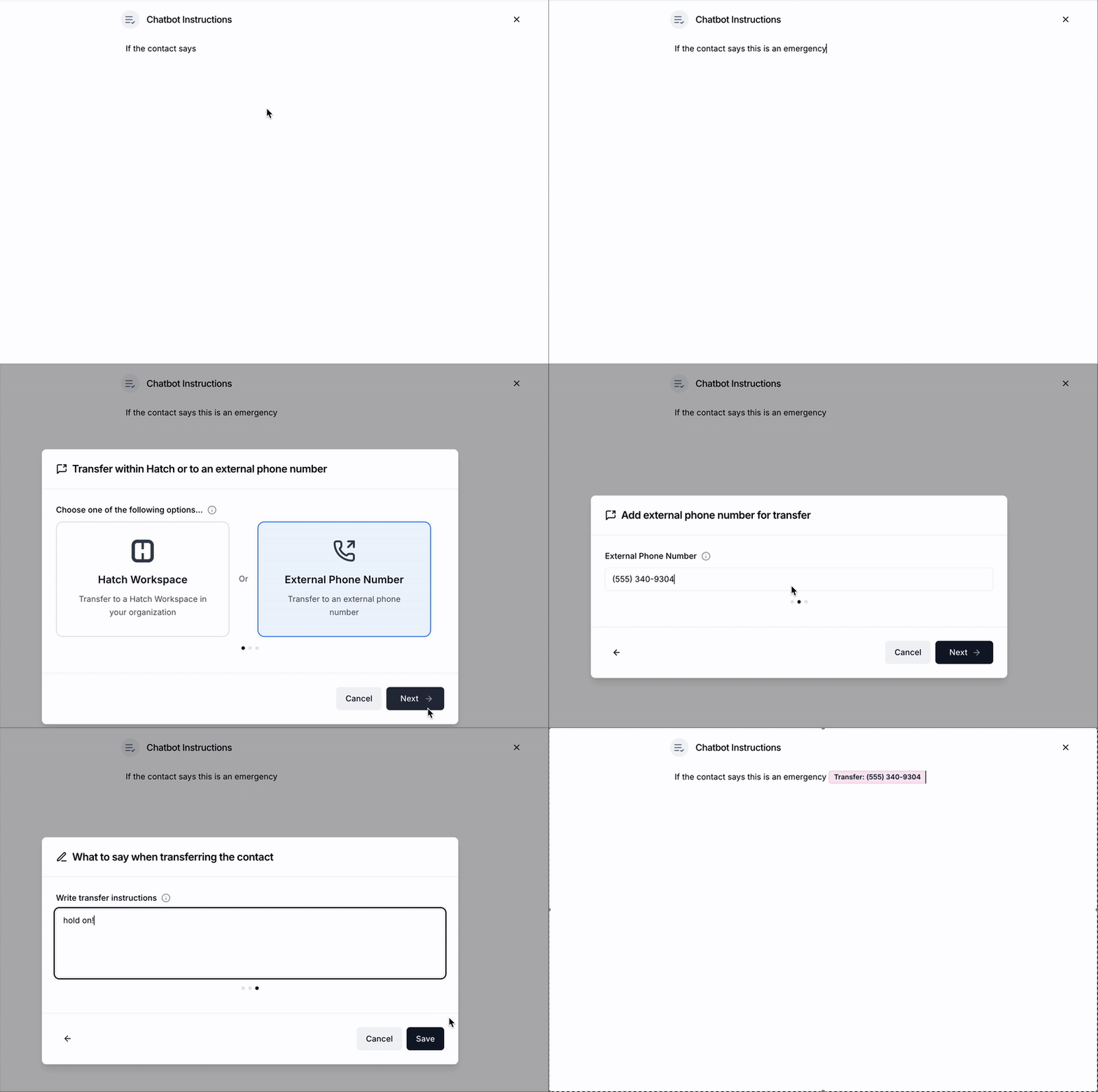
- Add a Transfer rule with:
- Trigger phrase or condition (e.g., “customer says they have an emergency plumbing issue”)
- External phone number to transfer to
- Save and activate your bot
How it works:
When the condition is met, the AI Agent will:
- Place the caller on hold
- Read a summary of the conversation to the recipient
- Connect the call, or route to voicemail if unanswered
Check out this guide to get started
Why it matters:
When calls can’t be resolved by AI alone, speed and context matter. This update makes hand-offs seamless, with the flexibility to transfer calls to any phone number, not just those tied to your workspace. Customers get help faster, your team saves time, and your business stays professional.
Service Area Lookup: Stop Out-of-Area Bookings Before They Start
There’s nothing more frustrating than scheduling a job, only to realize the address isout of your service area. Hatch’s new Service Area Lookup fixes that.
Now, your AI Agent caninstantly verify addresses before booking, so you only schedule appointments where you actually work.
How to set it up:
- Go to your bot’s Decision Tree settings in Hatch
- Add a Service Area Lookup command to the decision tree
- Enter the areas you service, using:
- Zip codes
- Cities
- States
- Save your changes
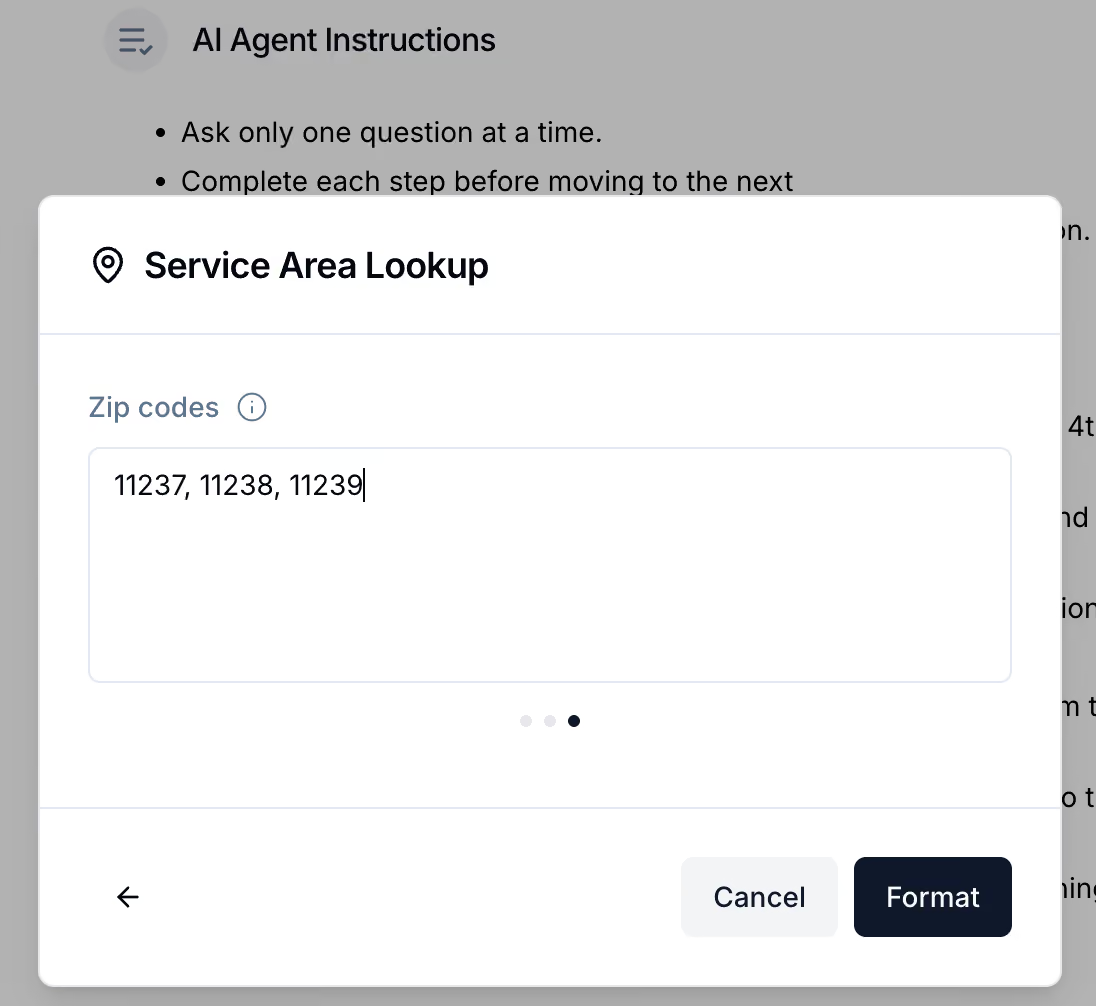
How it works:
When a customer shares their address, the bot automatically checks it against the service areas you entered.
If the address is in your service area:
→ The bot continues with scheduling.
If it’s outside your service area:
→ The bot follows your fallback instructions (e.g., apologizing or redirecting.)
Why it matters:
Wasted trips and canceled jobs hurt revenue and reputation. By validating service areas before booking, Hatch prevents no-win appointments, keeps customers informed, and helps your team focus on profitable work in the right places.
By streamlining hand-offs and preventing scheduling headaches, Hatch helps your team move faster, serve smarter, and create stellar experiences for every customer.
Have questions?
- Hatch customers, email [email protected], or reach out to your Account Manager here.
- Non-Hatch customers, book a demo here!