We have no idea what the future holds once we overcome COVID-19 and stay-at-home orders are relaxed. What we do know, though, is that the world as we know it will never quite be the same.
But that’s not entirely a bad thing. Throughout history, there always seems to be a renaissance that springs out of the worst times.
With COVID-19, I think we are starting to see that for the home improvement industry. Homeowner engagement via Hatch is up 10%, projects are starting to get booked, and people are sitting on stimulus checks that can make a significant dent in that window replacement or roof repair price estimate they got months ago.
As an industry, though, COVID-19 created a massive shift in how home improvement companies have to operate. The fact of the matter is this - you can’t win without a solid virtual strategy and customer experience right now.
We’re seeing over 500+ virtual appointments being set per week from our platform. But one question keeps popping up - “How can I conduct the most effective virtual appointment possible?”
Leveraging the knowledge base of our partners, as well as our own research, here’s how to build a robust virtual appointment strategy that will help you make better use of your time and close more deals.
Virtual Appointment Software
Before you begin, you need to pick a software that your company can easily adopt and use.
Though we recommend using a browser-based meeting software that doesn’t require an app download, you still have a wide range of appointment tools. Depending on your goal for the appointment, there’s a few routes you can take with your software of choice.
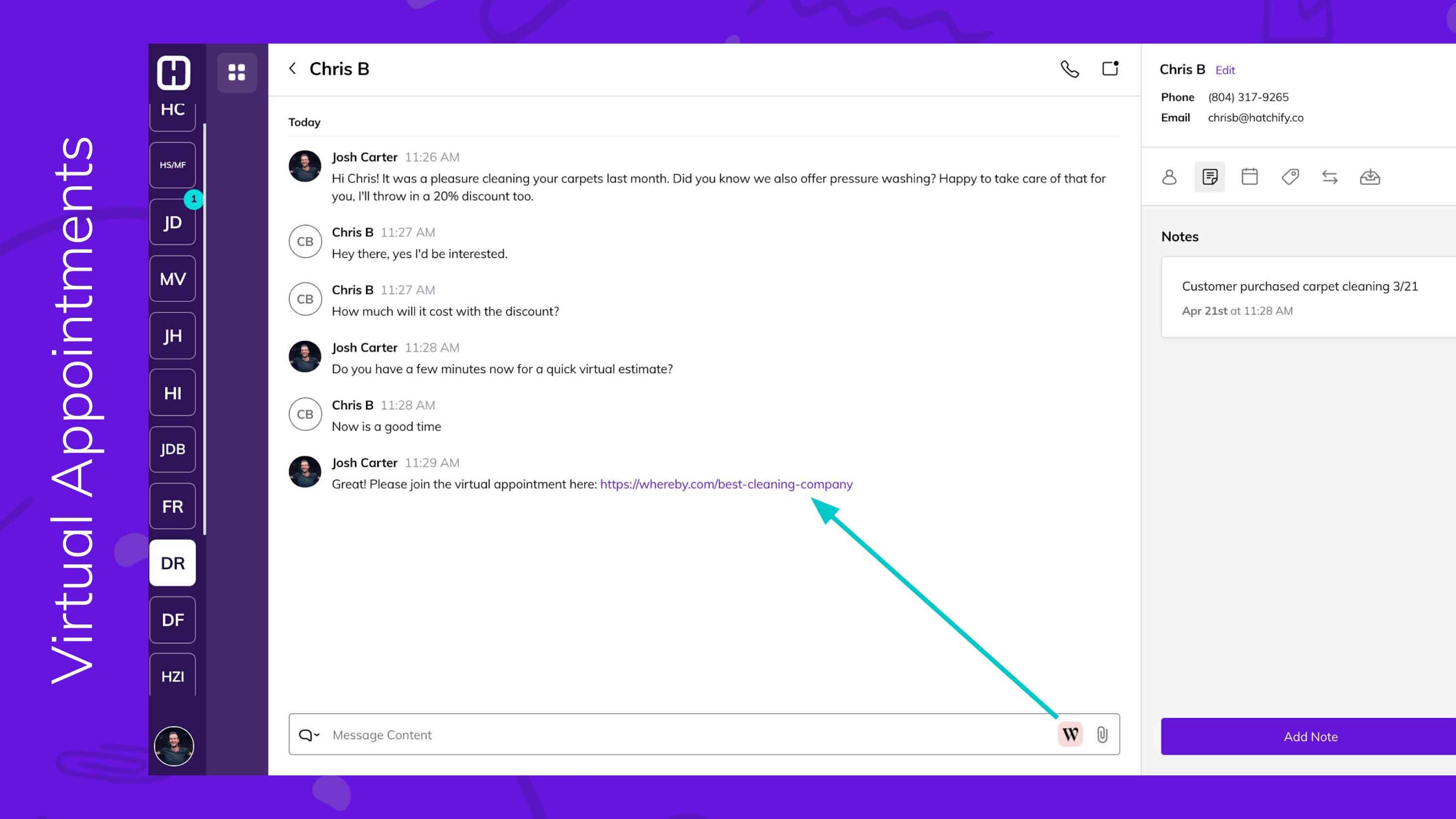
- If you just want a sit-down conversation to talk over a quote, just be sure that your customer has a web-cam enabled laptop for screen sharing so you can walk them through the estimate. For tools, we recommend WhereBy, Zoom, and Google Meet - all are free with their basic plans, though Zoom does have a 45 minute limit.
- If you’d like to guide the customer through measurements and have them walk-through the project area so you can get a visual before the quote, we strongly recommend you use a tool like Whereby, which is accessible from any mobile device and internet browser. This allows the homeowner to be on the go and you can walk them through the process.
If your software allows for recording the meeting, we HIGHLY recommend you encourage your team to download every appointment and share with their peers - this gives you a chance to coach and continue perfecting your virtual appointment process.
With your software ready, you should consider the ways of contacting and staying engaged with homeowners. As per usual, we highly recommend texting, which has seen a ~10% increase in engagement since the start of COVID-19.
We highly recommend using both text and email channels to send appointment reminders and links. For engaging customers and keeping in touch with them leading up to the appointment, we recommend this cadence:
-2.jpg?width=3000&name=virtual-appointment-blog-(2)-2.jpg)